


Affiliate Disclosure: FactsnFigs is reader-supported. When you deploy cloud security tools, self-hosted containers, or networking hardware through links on our site, we may earn an affiliate commission at no extra cost to you.
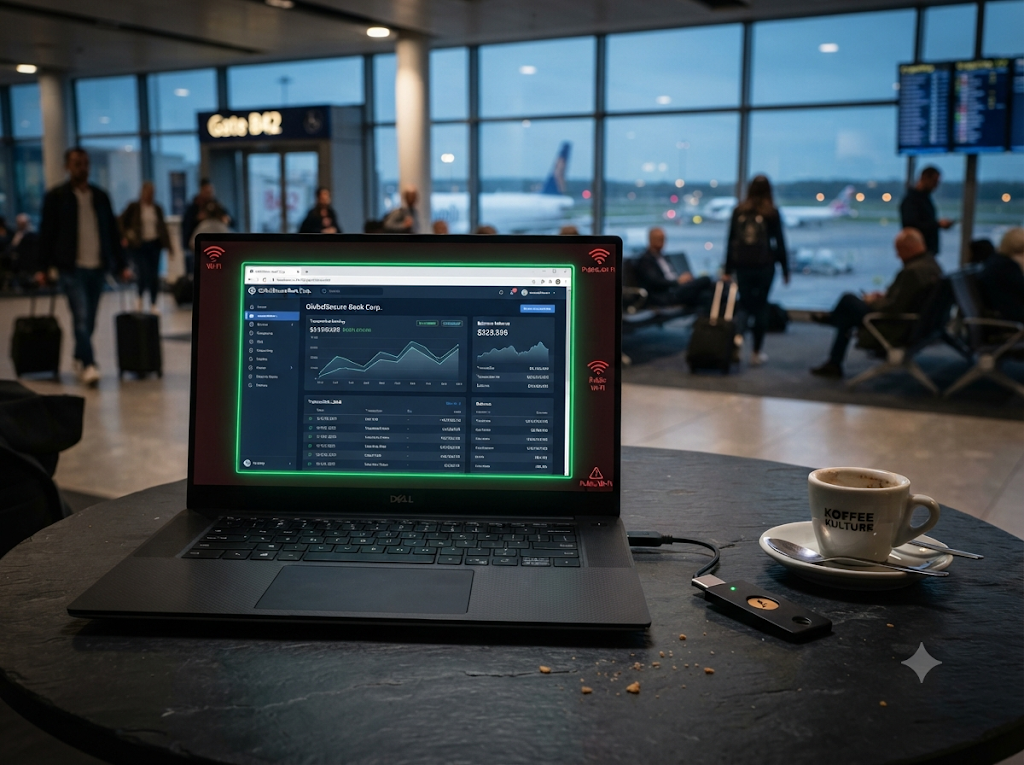
Logging into corporate Mercury accounts, Stripe dashboards, or multi-currency treasury portals over unverified airport, hotel, and cafe networks remains one of the highest-risk operational habits for traveling founders. While most remote workers assume activating a commercial VPN makes public Wi-Fi safe, modern Adversary-in-the-Middle (AitM) phishing kits, malicious captive portals, and browser zero-day exploits routinely bypass encrypted network tunnels.
Implementing zero trust remote browser isolation (RBI) closes this endpoint execution gap permanently. Instead of executing untrusted web code, JavaScript, and authentication cookies directly on your laptop’s local CPU, RBI moves the entire browser engine into an ephemeral, disposable cloud or self-hosted container—streaming only safe visual pixels or vector draw commands back to your screen.
Building on our infrastructure defenses for post-quantum encryption remote VPNs and distributed operations across 2026 digital economy trends, this technical guide breaks down how RBI architectures work, compares leading 2026 platforms, and outlines an actionable deployment blueprint for safeguarding financial workflows on the road.
Quick Comparison: Top Remote Browser Isolation (RBI) Solutions (2026)
| Platform / Architecture | Rendering Technology | Deployment Model | Bandwidth & Latency Profile | Best Operational Fit | Pricing Tier (2026) |
| Cloudflare Browser Isolation | Network Vector Rendering (NVR) | Cloud Edge (Cloudflare One Gateway policy) | Near-native (~30–60 fps; streams draw commands, not video) | Solo founders & remote teams already using Cloudflare Zero Trust | Add-on to Cloudflare Zero Trust ($7/user/mo base + RBI add-on) |
| Kasm Workspaces | Encrypted Pixel / Canvas Streaming | Self-Hosted Docker / Kubernetes (v1.19+) or Cloud | Moderate (Streams encrypted visual frames; configurable quality) | Technical founders & DevOps nomads wanting full self-hosted control | Community Edition (Free self-hosted) / Enterprise tiers |
| Menlo Security | Adaptive Clientless Rendering (ACR) | Cloud Proxy / Surrogate Browser Twin | Low latency (Sends sanitized HTML/CSS to native Chrome/Safari) | Mid-market & enterprise financial teams needing DLP & CDR | Enterprise custom quote (Starts ~$15k+/yr for 50 seats) |
| Island Enterprise Browser | Chromium Policy Isolation | Managed Local Chromium Fork | Native local speed (Hardware-enforced enclave policies) | Regulated organizations enforcing strict copy/paste & upload DLP | Enterprise licensing |
1. Why a VPN Alone Fails to Protect Financial Logins on Public Wi-Fi
A VPN encrypts traffic in transit between your network adapter and an exit server, which prevents passive packet sniffing on a local router. However, a VPN operates purely at the network layer—it offers zero protection once malicious code reaches your local browser runtime.
[Compromised Cafe / Airport Wi-Fi]
                │
   (1) Captive Portal / DNS Spoof before VPN connects
   (2) AitM Reverse-Proxy Phishing Link in Email/Slack
   (3) Zero-Day Browser Engine Exploit (CVE)
                │
                ▼
[Local Laptop Browser Runtime]  <-- VPN DOES NOT BLOCK THIS LAYER
   • Active session cookies stored in local RAM/disk
   • Infostealer malware scrapes banking tokens
   • Keyloggers capture passwords & TOTP codes
Three Active Public-Network Attack Vectors
- Captive Portal Pre-Authentication Exposure: Before your VPN tunnel establishes a handshake on hotel or airport Wi-Fi, your browser must load an unencrypted HTTP captive portal login page. Compromised access points exploit this window to inject malicious JavaScript or prompt fake browser certificate updates.
- Adversary-in-the-Middle (AitM) Session Hijacking: Modern phishing toolkits sit between your browser and legitimate banking login pages, relaying your credentials and 2FA codes in real time while harvesting the resulting authenticated session cookie—rendering standard SMS or app-based MFA ineffective.
- Browser Engine Zero-Days: Even fully patched Chromium and WebKit engines remain prime targets for drive-by memory corruption exploits. Once a single tab executes malicious WebAssembly or JavaScript locally, an attacker can escape the tab sandbox and access files or credentials stored elsewhere on your workstation.
2. How Zero-Trust Remote Browser Isolation Neutralizes Endpoint Risk
Under a Zero-Trust architecture, no web code is ever trusted to execute on your physical laptop. Every website you visit—or specifically high-risk financial portals and uncategorized links—is opened inside an isolated, disposable Linux container running on an edge server.
[Laptop / Local Browser]                 [Isolated Remote Container (Edge / VPS)]
┌───────────────────────┐                ┌──────────────────────────────────────────┐
│ Displays Safe Pixels  │ <══ Stream ═══ │ • Fetches & executes HTML, JS, WebAssembly │
│ or Vector Draw Calls  │                │ • Isolates Banking Cookies & Session RAM │
│                       │ ═══ Inputs ══> │ • Blocks Local File Downloads / Malware  │
│ (Zero Code Execution) │                │ • Container Destroyed on Tab Close       │
└───────────────────────┘                └──────────────────────────────────────────┘
The Three Rendering Architectures in 2026
- Network Vector Rendering (NVR — Cloudflare): Instead of streaming heavy MP4 video frames, Cloudflare intercepts HTML5 Canvas and Skia graphics draw commands inside the remote headless browser and transmits lightweight vector drawing instructions to your local tab. It preserves native text selection and smooth scrolling while stripping all underlying JavaScript and DOM scripts.
- Encrypted Pixel Pushing (Kasm Workspaces): The remote container renders the entire web page server-side and streams encrypted visual frames to your browser via WebRTC/WebSockets. Even if a site attempts a critical browser exploit, the exploit detonates inside an ephemeral Docker container that vanishes the instant you close the tab.
- DOM Reconstruction (Menlo Security): A cloud surrogate browser executes all active scripts, strips potentially dangerous elements via Content Disarm and Reconstruction (CDR), and delivers clean, sanitized HTML to your local Chrome, Edge, or Safari browser.
3. Practical Deployment Blueprints for Remote Founders
You do not need an enterprise SOC budget to isolate sensitive financial sessions. Depending on your technical stack, deploy one of these two proven architectures.
Option A: Self-Hosted Disposable Browser Containers with Kasm Workspaces
For technical founders, crypto custody operators, and DevOps engineers who already maintain a Linux VPS (4 vCPU, 8GB+ RAM), Kasm Workspaces Community Edition lets you spin up on-demand isolated Chrome or Brave containers inside your own private cloud.
- Deploy Kasm on a Clean Ubuntu VPS:Bash
cd /tmp curl -O https://kasm-static-content.s3.amazonaws.com/kasm_release_1.19.0.tar.gz tar -xf kasm_release_1.19.0.tar.gz sudo bash kasm_release/install.sh - Enforce Ephemeral Financial Profiles: Configure a dedicated Chrome workspace image with persistent storage disabled. Each time you launch the workspace to access banking portals, Kasm provisions a fresh container with a clean IP address and destroys the entire filesystem upon logout.
- Lock Down Clipboard & File Transfers: Disable bidirectional file downloads and restrict clipboard access inside the Kasm workspace policy so malicious web scripts cannot silently drop payloads onto your local MacBook or Linux laptop.
Option B: Selective Policy Isolation with Cloudflare Zero Trust
If you prefer zero server maintenance and want isolation triggered automatically inside your normal browser tabs:
- Route DNS & HTTP via Cloudflare Gateway: Connect your device through the Cloudflare WARP client or an authenticated Gateway proxy endpoint.
- Create Targeted HTTP
IsolateRules: Rather than isolating low-risk static sites (which adds unnecessary overhead), create a Gateway HTTP policy set toIsolatefor:- Financial & Banking SaaS domains (
mercury.com,wise.com,dashboard.stripe.com,revolut.com). - Uncategorized or newly registered domains clicked from email clients.
- Financial & Banking SaaS domains (
- Apply Browser Data Controls: Within the same Cloudflare policy, block file uploads/downloads and disable local printing on isolated financial tabs to prevent accidental data leakage on shared networks.
4. Defense-in-Depth: Combining RBI with Hardware Authentication
Browser isolation protects the runtime environment, but complete financial security requires layering isolation with cryptographic identity and clean network access:
- Phishing-Resistant FIDO2 / WebAuthn Keys: Always authenticate into isolated financial sessions using physical hardware tokens rather than SMS codes. As covered in our comparison of hardware security keys vs passkeys for remote teams, FIDO2 keys cryptographically bind authentication to the exact domain origin, preventing AitM proxy sites from relaying credentials.
- Bypass Untrusted Wi-Fi Entirely When Possible: Whenever executing high-value wire transfers or treasury approvals in transit, tether to your own cellular data connection via the best international travel eSIM rather than joining open airport hotspots.
- Endpoint Biometric Locking: Ensure your physical laptop enforces hardware-backed session locks aligned with modern biometric security protocols for remote work so unattended devices in co-working spaces cannot be accessed locally.
Relying solely on a traditional VPN while managing corporate banking and payment gateways over public Wi-Fi leaves your most critical financial sessions exposed to local browser exploits and session-hijacking proxies. Deploying zero-trust remote browser isolation—whether through Cloudflare Browser Isolation’s low-latency Network Vector Rendering or a self-hosted Kasm Workspaces container—creates an impenetrable air gap between untrusted networks and your workstation. Isolate your financial logins, pair them with FIDO2 hardware keys, and eliminate endpoint browser risk while traveling.


