


Affiliate Disclosure: FactsnFigs is reader-supported. When you purchase travel tech, displays, or computing gear through links on our site, we may earn an affiliate commission at no extra cost to you.
Context switching is the single biggest productivity drain for remote software engineers, quantitative analysts, and technical founders. Toggling constantly between an IDE, debugging terminals, API documentation, and staging environments on a single 14-inch or 16-inch laptop panel slows development cycles and creates cognitive fatigue.
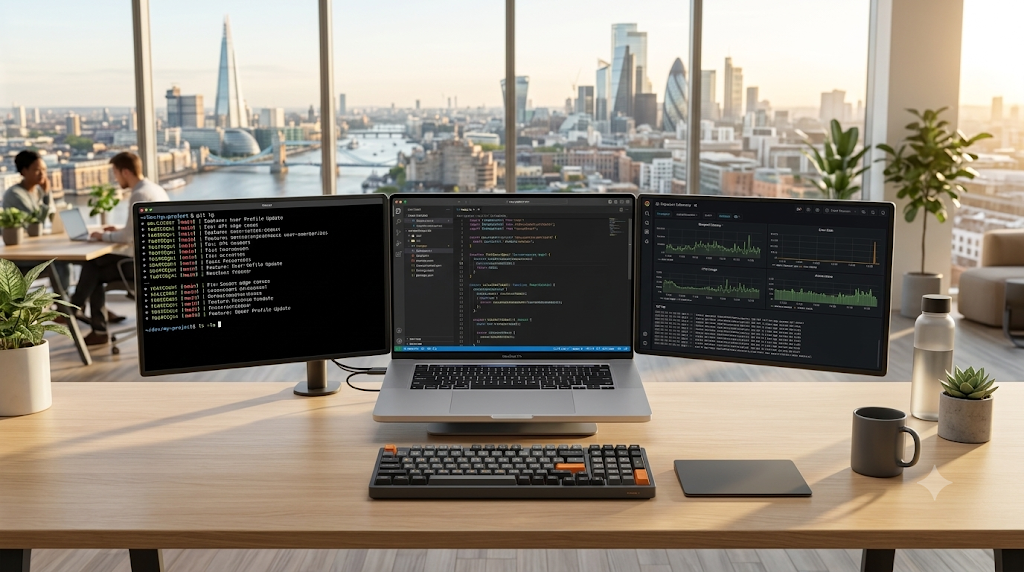
For engineers operating across distributed hubs within 2026 digital economy trends, building a high-efficiency portable multi screen setup nomads can pack into a single carry-on bag is no longer a luxury—it is an essential operational advantage.
Recent hardware advancements have shifted portable displays away from dim, flimsy kickstands into rigid aluminum chassis featuring high-refresh 2K panels, 500-nit brightness, and single-cable USB-C Power Delivery pass-through.
Whether you are powering your remote mobile workstation with the best universal GaN travel adapters or maintaining field connectivity through our documented Starlink Mini off-grid setup, here is our field-tested breakdown of the top multi-screen portable displays engineered for developers on the move.
Quick Comparison: Top Portable Multi-Screen Displays (2026 Field Tested)
| Model & Form Factor | Screen Configuration & Panel | Resolution & Refresh Rate | Weight (Total Rig) | Power Pass-Through (PD) | Connection Standard | macOS Apple Silicon Support |
| Monduo 16″ Pro Duo (Clamping Tri-Screen) | 2x 16″ IPS (Triple setup with laptop) | 2560 × 1600 (2K) @ 144Hz | 1.95 kg (4.3 lbs) | Yes (Up to 100W PD Pass-through) | Dual USB-C (DP Alt Mode) or Mini-HDMI | Native on M-Pro / M-Max (Dual display out) |
| ASUS ZenScreen Duo (MQ149CD) (Vertical Folding) | 2x 14″ OLED (Foldable book design) | 1920 × 1200 OLED @ 60Hz | 1.18 kg (2.6 lbs) | Yes (USB-C Hub pass-through) | USB-C (DisplayPort Alt Mode) | Native (Recognized as 2 separate screens) |
| Mobile Pixels Trio Max (Sliding Lid-Mount) | 2x 14.1″ IPS (Dual slide-out wings) | 1920 × 1080 (FHD) @ 60Hz | 1.80 kg (3.9 lbs) | Partial (Auxiliary USB-C power) | USB-C / USB-A via DisplayLink | Broad (Driver-based support across base M1/M2/M3) |
| Espresso Display 15 Pro (Modular Standalone) | 1x 15.6″ Touch IPS (Dual-stackable) | 1920 × 1080 Touch @ 60Hz | 0.86 kg (1.9 lbs) | Yes (Pass-through via Espresso Stand) | Single USB-C cable | Native macOS & Windows touch drivers |
| KYY X90D Dual Screen Extender (Budget Tri-Screen) | 2x 14″ IPS (Hinged bracket) | 1920 × 1080 (FHD) @ 60Hz | 1.60 kg (3.5 lbs) | Passthrough via Type-C | Dual USB-C | Plug & Play (Requires multi-video output ports) |
1. Architectural Hurdle: Apple Silicon vs. Dual Display Output
Before purchasing a multi-screen extender, you must understand your host machine’s GPU architecture.
                    [Laptop Host Video Controller]
                                  │
         ┌────────────────────────┴────────────────────────┐
         ▼                                                 ▼
[Apple Silicon Base Chips]                       [Apple Silicon Pro/Max & Intel/AMD]
(Base M1, M2, M3)                                (M-Pro, M-Max, Windows Thunderbolt 4)
         │                                                 │
         ▼                                                 ▼
[Hardware Limited: 1 External Display]           [Native Multi-Display Pipeline]
Requires DisplayLink software drivers            Direct plug-and-play via dual DP Alt Mode
The Apple Silicon Constraint
- Base M1, M2, and M3 MacBooks: Apple hardware limits base non-Pro chips to driving only one single external display natively over USB-C. If you attach a physical tri-screen bracket directly via standard cables, both side displays will either mirror each other or one will remain black.
- The DisplayLink Workaround: To run dual external displays on a base chip, you must choose an extender utilizing DisplayLink software compression (such as the Mobile Pixels Trio Max). This converts video signals into standard USB data packets, allowing your CPU to drive multiple virtual screens.
- Pro & Max Chips (Native Glory): MacBook Pro models running M1/M2/M3/M4 Pro or Max processors—as well as modern Intel/AMD Windows laptops with Thunderbolt 4—support multiple uncompressed video streams natively via DisplayPort Alternate Mode (DP Alt Mode) without needing auxiliary software drivers.
2. In-Depth Reviews: The Top Nomad Multi-Screen Setups
1. Monduo 16″ Pro Duo: The Ultimate Developer Battlestation
If your daily workflow involves multi-threaded debugging, large codebases, and continuous terminal monitoring, the Monduo Pro Duo is the undisputed performance leader.
- Display Quality: Packs two 16-inch 2.5K panels (2560 × 1600) matching MacBook Pro native 16:10 aspect ratios. Featuring 500 nits of brightness and a smooth 144Hz refresh rate, window dragging and terminal scrolling exhibit zero ghosting.
- Structural Engineering: Unlike budget clamp systems that strain laptop display hinges, Monduo incorporates a rigid built-in rear kickstand that supports the entire mechanical load directly against the table surface.
- Power Architecture: Supports up to 100W USB-C Power Delivery pass-through. You plug your primary GaN wall charger directly into the Monduo screen, which powers both external displays and routes continuous charging power straight to your laptop.
- Tradeoff: It is an uncompromising powerhouse that weighs nearly 2 kilograms, requiring a dedicated 16-inch laptop compartment in your travel backpack.
2. ASUS ZenScreen Duo (MQ149CD): The Vertical Stacking Champion
Rather than expanding outward horizontally, ASUS engineered a foldable vertical book form factor featuring two 14-inch OLED panels.
- OLED Visual Fidelity: With true infinite contrast, 100% DCI-P3 coverage, and deep true blacks, terminal windows and dark-mode code editors look exceptionally crisp.
- The Vertical Layout Advantage: Programmers often prefer vertical orientation to read 150+ lines of continuous code without scrolling. The ZenScreen Duo folds out vertically, resting on an integrated kickstand behind your laptop to create an ergonomic two-tier vertical command center.
- Portability: Weighing only 1.18 kilograms, it folds flat like a regular tablet, making it significantly easier to slip into carry-on luggage than rigid tri-screen mounting frames.
3. Mobile Pixels Trio Max: The DisplayLink Universal Pick
For travelers operating older machines, base M-series MacBooks, or corporate-managed laptops with locked-down video configurations, Mobile Pixels provides maximum compatibility.
- Magnetic Track Mounting: Attaches directly to the back of your laptop lid using four safe adhesive magnetic pads. The two side screens slide out smoothly from behind the screen when you sit down at a desk.
- Software-Driven Flexibility: By leveraging DisplayLink architecture, it successfully outputs two independent display feeds over a single USB-A or USB-C connection, bypassing hardware GPU restrictions on base consumer laptops.
- The Caveat: DisplayLink introduces minor CPU overhead (roughly 4% to 8% background load) and can experience brief micro-stuttering during full-screen 60fps video playback.
4. Espresso Display 15 Pro: The Ultralight Modular Standalone
If you find bulky multi-screen brackets cumbersome, carrying an ultra-thin standalone display that docks instantly via magnetic mounts is a compelling alternative.
- Unmatched Thinness: At just 5.3mm thick and 860 grams, the Espresso 15 Pro is housed in aircraft-grade machined aluminum, making it one of the thinnest high-end portable displays on the market.
- Touch & Stylus Integration: Features low-latency touch capabilities and digital pen input on both macOS and Windows, making it ideal for UI/UX wireframing, design markup, and digital architecture sketches.
- Modular Setup: Pair it with the magnetic Espresso Stand for quick portrait or landscape rotation next to your laptop.
3. Power Architecture & Wattage Draw in the Field
Operating multiple external displays off a laptop’s internal battery will drain standard 70Wh–100Wh packs in under 90 minutes. Designing a resilient mobile desk requires a structured power distribution plan:
[100W/140W GaN Travel Charger (Wall / AC)]
                     │
    100W USB-C Power Delivery Line
                     │
                     ▼
[Multi-Screen Display Primary Input Port]
                     │
         ┌───────────┴───────────┐
         ▼                       ▼
[Powers Dual Displays]   [Routes 65W–85W PD Upstream]
(~15W to 22W internal)           │
                                 ▼
                      [Laptop Charges Continuously]
- Typical Display Consumption: A dual 1080p IPS screen setup consumes approximately 10W to 14W of total power. Dual high-refresh 2K or OLED panels draw roughly 18W to 25W depending on brightness settings.
- Single-Socket Solution: Always pair your multi-monitor array with a high-wattage power supply, such as the hardware covered in our 140W GaN chargers field guide. Feeding the display unit directly via 100W PD ensures your laptop stays fully charged without requiring separate wall plugs.
4. Packing Ergonomics: Carry-On Weight Distribution
When building an agile travel kit, managing your total carry-on payload is critical. European and Southeast Asian budget airlines strictly enforce a 7kg to 10kg carry-on limit.
| Hardware Setup Type | Gear Breakdown | Total Weight Impact | Mobility Rating |
| Heavy Tri-Screen Studio | 16″ Laptop + Monduo Pro Duo + 140W GaN + Heavy Cables | ~4.6 kg (10.1 lbs) | Best for long-term stays (1+ month per hub) |
| Ergonomic Vertical Folding | 14″ Laptop + ASUS ZenScreen Duo + Compact Stand + GaN | ~3.1 kg (6.8 lbs) | Ideal for frequent flyers & weekly cafe hops |
| Ultralight Single Expansion | 13″ Laptop + Espresso 15 Pro + Magnetic Folio Stand | ~2.3 kg (5.0 lbs) | Perfect for ultralight one-bag nomadic travel |
To maintain uninterrupted remote operations while bouncing between overseas co-working spaces, ensure your communications are backed by an active cellular profile via the best international travel eSIM.
If you are a serious software engineer or technical trader who demands uncompromising desktop productivity on the road, the Monduo 16″ Pro Duo delivers an unmatched panoramic workstation with native 144Hz fluidity and built-in kickstand ergonomics. If carry-on weight and bag space are your primary constraints, the vertical folding ASUS ZenScreen Duo OLED provides exceptional code-reading efficiency in a significantly lighter, compact form factor. Evaluate your laptop’s GPU output capabilities, invest in single-cable PD pass-through, and upgrade your mobile development throughput.


