


Affiliate Disclosure: FactsnFigs is reader-supported. When you purchase computing hardware or software tools through links on our site, we may earn an affiliate commission at no extra cost to you.
Cloud-hosted frontier reasoning models have fundamentally changed coding, mathematics, and complex data extraction. However, relying on closed cloud endpoints introduces three critical bottlenecks: high per-token API bills, strict rate limits, and the immediate privacy risk of transmitting proprietary source code or client databases across third-party servers.
For software engineers, solo bootstrappers, and data analysts participating in 2026 digital economy trends, deploying a local deepseek r1 setup 2026 is the ultimate privacy and performance upgrade.
DeepSeek R1’s breakthrough architecture demonstrated that massive reinforcement learning (RL) reasoning behaviors can be distilled into smaller, dense architectures (ranging from 1.5B to 70B parameters). By running these distilled weights directly on local silicon via Ollama or vLLM, you gain an offline reasoning engine capable of multi-step problem solving with zero cloud dependencies.
Following our baseline architecture for autonomous AI workflows with n8n and local LLMs and private task runners in our private AI agent tutorial, this technical guide details hardware sizing, quantization tiers, and exact command setups for macOS and Linux workstations.
Quick Comparison: DeepSeek R1 Distilled Models & Hardware Specs (2026)
| Distilled Model Tag | Parameter Base | Minimum VRAM / RAM | Recommended Hardware | Tokens/sec (M-Series / RTX) | Best Use Case |
| deepseek-r1:1.5b | Qwen 2.5 1.5B | 4GB RAM | Budget laptops / Raspberry Pi 5 | 80 – 120 tok/s | Fast JSON parsing, edge extraction |
| deepseek-r1:7b / 8b | Qwen 2.5 / Llama 3.1 | 8GB – 16GB Unified RAM | Mac M1/M2/M3 (16GB), RTX 3060/4060 | 25 – 45 tok/s | Daily code debugging, logic proofs (Sweet Spot) |
| deepseek-r1:14b | Qwen 2.5 14B | 12GB VRAM / 16GB Mac | Mac M-Series Pro (18GB+), RTX 4070 (12GB) | 20 – 35 tok/s | Complex multi-file refactoring & math |
| deepseek-r1:32b | Qwen 2.5 32B | 24GB VRAM / 36GB Mac | Mac M Max (36GB+), RTX 3090 / 4090 (24GB) | 15 – 28 tok/s | Enterprise-grade reasoning, beating o1-mini |
| deepseek-r1:70b | Llama 3.3 70B | 48GB – 64GB Unified RAM | Mac Studio M2/M3 Ultra, Dual RTX 4090 | 8 – 18 tok/s | Research-level logic, complex scientific synthesis |
1. Why DeepSeek R1 Differs from Standard Local LLMs
Standard open-weights models (such as standard Llama 3 or Mistral) operate as immediate token predictors. When asked a complex algorithmic puzzle, they attempt to answer immediately, often leading to hallucinations in multi-step arithmetic or edge-case code syntax.
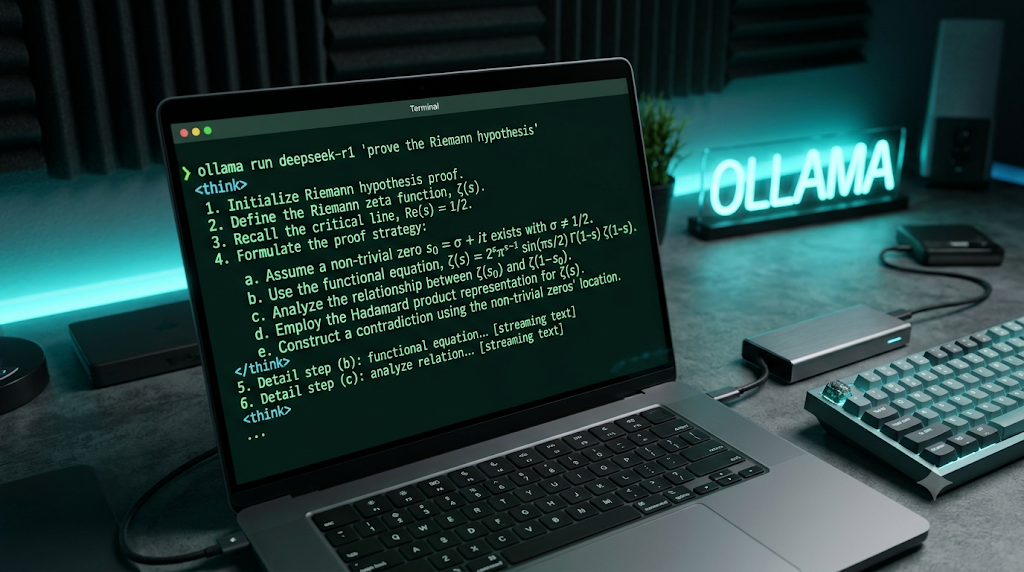
DeepSeek R1 introduces an explicit reasoning trace:
- The
<think>Tag Loop: Before outputting the final user-facing response, the model enters an internal chain-of-thought phase, outputting its step-by-step logic between<think>and</think>tags. - Self-Correction: If an intermediate logic path encounters a contradiction, the model backtracks internally and explores an alternative hypothesis before generating the final answer.
- Distilled RL Weights: The smaller 8B, 14B, and 32B models are not trained from scratch; they are distilled directly from the flagship 671B MoE reasoning outputs, allowing compact consumer laptops to inherit advanced mathematical reasoning.
2. Hardware Sizing & Quantization Mechanics (Mac vs. Linux)
Before pulling model weights, you must allocate your system memory correctly:
[System Memory Allocation]
          │
    ┌─────┴──────────────────────────────┐
    ▼                                    ▼
[Apple Silicon (Unified Memory)]    [Linux / NVIDIA Workstation]
• Shared CPU/GPU memory fabric       • Dedicated VRAM (GPU) primary
• Zero PCIe bus transfer latency     • Host System RAM for offloading
• 16GB Mac = Perfect for 8B/14B      • 24GB RTX 4090 = Runs 32B at Q4_K_M
- The Quantization Standard (Q4_K_M): To fit dense parameter graphs into consumer hardware, weights are compressed from 16-bit floating point (FP16) to 4-bit integers. Q4_K_M quantization preserves over 95% of the original reasoning accuracy while reducing memory footprint by nearly 65%.
- Unified Memory Advantage on macOS: Apple Silicon treats all RAM as unified video memory. A MacBook Pro with 36GB of unified memory can load a 32B parameter model entirely onto GPU cores, achieving sustained generation speeds without requiring multi-GPU server racks.
3. Step-by-Step Installation: The Ollama Framework
Ollama remains the cleanest, production-grade CLI runner for local model inference across both POSIX platforms.
Step 1: Install the Ollama Engine
Open your terminal on macOS or Linux and execute:
# Universal POSIX install script
curl -fsSL https://ollama.com/install.sh | sh
(On macOS, you can alternatively download the native .dmg directly from the official Ollama portal).
Step 2: Verify GPU Driver Acceleration
- On macOS: Metal acceleration is automatically detected and leveraged across all Apple Silicon processors.
- On Linux: Confirm your NVIDIA drivers and CUDA toolkit are operational by checking:
nvidia-smi
Step 3: Pull and Launch the Recommended 8B Distill Model
For balanced reasoning speed on 16GB systems, pull the 8-billion parameter distill:
# Pull and start interactive terminal chat
ollama run deepseek-r1:8b
If your workstation features 32GB+ of unified memory or a 24GB graphics card (RTX 3090/4090), deploy the higher-capacity 32B model:
# Launch high-tier reasoning model
ollama run deepseek-r1:32b
4. Building a Private WebUI Interface (Open-WebUI Setup)
Interacting solely inside a terminal window limits formatting. To get a ChatGPT-like graphical interface with Markdown rendering, conversation history, and model switching, deploy Open-WebUI via Docker:
# Run Open-WebUI container connected to local Ollama instance
docker run -d -p 3000:8080 \
  --add-host=host.docker.internal:host-gateway \
  -v open-webui:/app/backend/data \
  --name open-webui \
  --restart always \
  ghcr.io/open-webui/open-webui:main
Once executed, navigate to http://localhost:3000 in your browser. Open-WebUI automatically discovers all models loaded in your local Ollama registry, rendering the <think> reasoning traces in expandable, clean dropdown containers.
5. Performance Optimization & Troubleshooting
If token generation feels sluggish or your system experiences memory pressure, apply these system tweaks:
[Optimization Levers]
   ├── Context Window Sizing: Keep context at 8k–16k unless analyzing massive repos
   ├── Flash Attention: Export OLLAMA_FLASH_ATTENTION=1
   └── Concurrency Cap: Restrict parallel requests to prevent OOM panics
- Cap Context Length for Low Memory Workstations:By default, long context windows consume significant KV-cache VRAM. If your hardware is memory-constrained, initialize the Ollama daemon with a defined context ceiling:Bash
OLLAMA_CONTEXT_LENGTH=8192 ollama serve - Monitor Real-Time Layer Offloading:Open a separate terminal window and run:Bash
ollama psCheck thePROCESSORcolumn. It should read100% GPU. If it indicates50% CPU / 50% GPU, reduce your model parameter size to avoid CPU RAM swapping bottlenecks. - Automate Headless Startup on Linux:Enable Ollama as a native systemd background service:Bash
sudo systemctl enable ollama sudo systemctl start ollama
Running DeepSeek R1 locally marks the official end of cloud vendor lock-in for critical reasoning workflows. For developers handling proprietary IP, confidential client financial records, or off-grid coding sessions, an Apple Silicon Mac or modest NVIDIA workstation running deepseek-r1:8b or 32b delivers exceptional intelligence at zero recurring token cost. Download the weights, secure your local endpoints, and own your cognitive compute stack.


