22 C
New York
Tuesday, May 5, 2026
Home Blog Page 5

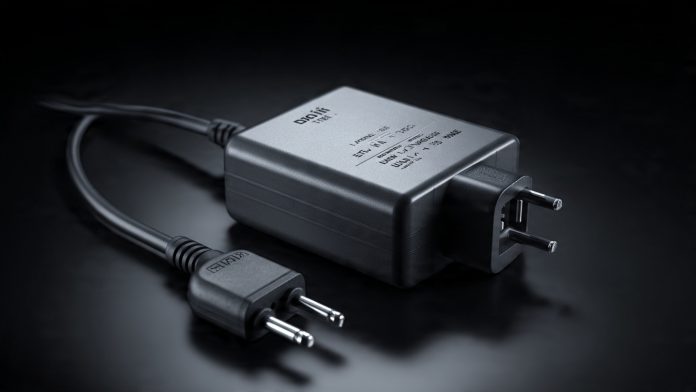
The Essential Power Adapter Guide: Staying Charged Globally without Damage (2025)

power adapter

The Silent Killer of Digital Gear – As a digital nomad, you’ve mastered connectivity—you know your eSIM vs. Physical SIM strategy and your portable WiFi hotspot setup. But the biggest, yet most overlooked, threat to your entire remote operation is often lurking behind the wall socket: incompatible power.

Plugging your powerful laptop or sensitive battery bank into the wrong voltage can instantly fry your gear, leading to expensive replacements and hours of lost productivity. This risk is amplified when dealing with specialized equipment, like the noise-canceling headphones critical for your deep work sessions.

As someone who has traveled and worked across every major voltage standard, I’ve learned that a simple, high-quality power adapter is the foundation of a safe, successful workday. This guide is your no-nonsense resource for understanding global power differences, protecting your expensive electronics, and choosing the single adapter that will serve you globally.

The Critical Difference: Adapter vs. Converter

This is the most common and costly mistake travelers make. You must know the difference:

  1. Adapter (The Shape Changer): This simply changes the physical shape of your plug prongs to fit the local wall socket (e.g., from a US flat plug to a European round plug). It does NOT change the voltage. Most modern electronics (laptops, phone chargers) use adapters because their internal circuits handle the voltage conversion.
  2. Converter (The Voltage Changer): This is a device that actively changes the voltage (e.g., stepping down 240V from Europe to 120V required by an older US device). You almost never need a converter unless you are traveling with old, simple electronics like a hair dryer or electric kettle.

The Nomad Rule (The Human Experience Focus):

  • Check the Label: Look at your laptop charger or phone brick. If the input reads INPUT: 100V–240V, your device is dual-voltage and only needs a physical Adapter. Buy a converter only if you see a single voltage listed (e.g., 120V only).

Understanding Global Voltage Standards

To stay safe, you only need to know two main standards:

RegionVoltage RangeFrequencyPlug Type Example
North America100V – 127V60HzType A/B (Flat prongs)
Most of Europe, Asia, Australia, Africa220V – 240V50HzType C/F (Round prongs)

Danger Zone: Plugging a device designed for 120V into a 240V socket without an internal converter will result in instant, irreparable damage (the “pop and smoke” scenario). Since all your valuable gear runs on electricity, this is a major cyber security risk to your workflow and data integrity.

Essential Features of the Modern Travel Adapter

The best adapter for digital work is not a simple block; it’s a multi-functional power hub. Look for these four critical features:

  1. Surge Protection: A must-have. When working in places with unreliable power grids (common in Southeast Asia or parts of South America), voltage spikes can happen. Surge protection sacrifices itself to save your expensive devices.
  2. High-Powered USB-C PD (Power Delivery): Your laptop (especially MacBooks or powerful Windows ultrabooks) charges via USB-C PD. Your adapter needs at least 65W to 100W output via the USB-C port to charge your laptop quickly. Adapters under 30W are useless for serious remote work.
  3. Multiple Outputs: Look for one that includes at least one AC socket, two USB-A ports, and one high-power USB-C PD port. This allows you to charge your laptop, phone, and noise-canceling headphones all at once.
  4. Integrated Child Safety Shutters: A non-negotiable feature that prevents accidental contact with live pins.

Digital Saiff’s Top 3 Adapter Recommendations (2025)

  1. The All-in-One Global Cube: (Best for Minimalists) These cubes (e.g., by Zendure or EPICKA) offer built-in sliding prongs for all major regions (US, EU, UK, AU). They are ideal for quick country hopping. Warning: They often lack the highest USB-C PD output (check the specs for 65W).
  2. The Modular High-Wattage Hub: (Best for Power Users) These are often high-wattage GaN (Gallium Nitride) wall chargers (e.g., by Anker or Baseus) that require separate, interchangeable physical plug prongs. They offer 100W+ USB-C PD, which is vital for heavy-duty work.
  3. The Strip/Extension Cord (The Necessity): Carry a small, multi-socket extension cord from your home country. Plug the high-powered modular adapter into the wall, and then plug your extension cord into the adapter. This converts the wall power once, allowing you to use multiple devices safely at your desk.

Conclusion: Safety First, Then Speed

As a digital nomad, the right power adapter is your insurance policy. Do not cheap out on this piece of gear. An adapter that costs $50 is a tiny investment compared to replacing a $2,000 laptop.

Prioritize surge protection and high-wattage USB-C PD. Once you have your power strategy locked down, you can focus on what truly matters: your remote work and your next adventure.

Now that your hardware is safe, let’s ensure your software security is up to par. Read our guide on the modern standard for network protection: Zero Trust Architecture (ZTA) Explained: Why Your VPN is Not Enough Anymore (2025)

Cryptocurrency Tax Software: 5 Essential Tools for Digital Entrepreneurs (2025 Review)

Cryptocurrency Tax Software

The Compliance Challenge of Crypto – For the digital entrepreneur, cryptocurrency offers unparalleled freedom and borderless transactions—qualities essential for managing remote teams and engaging in global commerce. However, this flexibility comes with a massive, often complex, responsibility: tax compliance.

Every transaction—from swapping Bitcoin for Ethereum, earning interest in DeFi, selling an NFT, or simply spending crypto via a Digital Wallet—is a taxable event in most jurisdictions. Manually tracking thousands of trades across dozens of wallets and exchanges is virtually impossible, leading to stress and compliance risk.

As a FinTech Analyst, I’ve seen this compliance complexity paralyze otherwise profitable digital businesses. In 2025, specialized Cryptocurrency Tax Software is not optional; it’s a necessary automated solution. This expert review breaks down the 5 essential tools that help entrepreneurs track, calculate, and report complex crypto activity accurately.

Why Spreadsheets Fail the Crypto Entrepreneur

Traditional accounting methods, like basic spreadsheets or even basic AI Accounting Software not specialized in crypto, fail for three key reasons:

  1. Complexity of DeFi and NFTs: Tax laws treat staking, liquidity pool additions, and NFT sales differently. A spreadsheet cannot automatically determine the cost basis or market value at the exact moment of the transaction.
  2. Tracking Across Chains: Crypto entrepreneurs often use multiple blockchains (Ethereum, Solana, Polygon) and centralized exchanges (Binance, Coinbase). Manually gathering data from all these scattered sources is prone to human error, which can lead to severe penalties.
  3. Global Compliance: Digital nomads and remote businesses operate across borders, requiring adherence to different rules (e.g., Capital Gains vs. Income Tax). Specialized software handles these jurisdictional differences.

The Human Experience Focus:

  • Think of the pressure during tax season. You shouldn’t be spending weeks wrestling with CSV files and calculating FIFO/LIFO manually. Your time should be spent focusing on growing your business, which the right tool enables.

The 5 Essential Cryptocurrency Tax Software Tools

The best tools offer broad exchange/wallet integration, excellent reporting features, and handle complex decentralized finance (DeFi) transactions.

Software ToolBest ForCore Feature / StrengthCost Calculation Methods
1. KoinlyBroadest Exchange Integration & DeFiExcellent user interface; automated classification of margin trades, mining, and staking.FIFO, LIFO, HIFO, ACB
2. CoinTrackerEase of Use & Portfolio TrackingSeamless integration with major US/Canadian tax preparation software (e.g., TurboTax).FIFO, LIFO, ACB
3. CryptoTrader.TaxCPA/Accountant CollaborationRobust audit trail reporting; specialized guidance for complex business entities.FIFO, LIFO, Average Cost
4. AccointingActive Traders & Mobile UsersReal-time portfolio tracking and detailed performance analysis alongside tax reporting.FIFO, LIFO, HIFO
5. TaxBitEnterprise/High-Volume UsersStrong security posture; often partners directly with major crypto platforms for seamless data transfer.FIFO, LIFO, Specific Identification

Key Features to Look for (Beyond Basic Calculation)

When choosing a tool for your global digital business, ensure it meets these advanced requirements:

  1. Non-Custodial Wallet Support: The software must securely read data from non-custodial wallets (like MetaMask), which are essential for accessing DeFi platforms and NFTs.
  2. NFT/Metaverse Integration: It must correctly track the cost basis of NFTs purchased, sold, and potentially used as collateral.
  3. Audit Trail Reporting: The tool must generate clear, detailed reports that can withstand an audit by tax authorities. This report must clearly show the date, cost basis, and fair market value of every single transaction.
  4. Integration with Existing Systems: It should easily export files compatible with your regular financial software and your local jurisdiction’s tax filing portal.

Security and Compliance:

Handling crypto transaction history requires maximum security, which relates directly to the Zero Trust Architecture (ZTA) principles we recently covered.

  • API Keys Security: These tax tools require API keys to connect to your exchanges. Treat these keys like passwords. Never grant the tool Withdrawal permissions—it should only have Read-Only access.
  • Data Verification: Use the software to gather the raw data, but always manually verify the cost basis for your most valuable transactions. Software is a tool, not a replacement for financial expertise.
  • Jurisdictional Clarity: Ensure your chosen software supports the specific tax rules of your home country and any country where you conduct substantial business, especially if you are claiming residency as a digital nomad.

Conclusion: Automated Compliance is Your Freedom

For the digital entrepreneur, spending less time on compliance means spending more time on growth. By leveraging specialized cryptocurrency tax software, you achieve accuracy, reduce audit risk, and free up valuable time.

Choose the tool that matches your activity level—whether you are an occasional holder (Koinly) or a high-volume trader (Accointing/TaxBit). Automated compliance is the price of digital financial freedom.

Now that you know how to report your crypto profits, you must secure the entire environment where you conduct these trades. Read our guide on network security: Zero Trust Architecture (ZTA) Explained: Why Your VPN is Not Enough Anymore (2025)

AI Coding Assistants: Copilot vs. Tabnine for Non-Developers (Efficiency Review)

AI Coding Assistants

Coding is No Longer Exclusive – If you are a modern digital entrepreneur, your job requires you to interact with code—even if you don’t consider yourself a developer. You might need to:

  1. Set up a simple API integration for your marketing platform.
  2. Debug a tricky script for your Zero Code Automation workflow.
  3. Edit a configuration file for a new FinTech tool.

Historically, these tasks meant hiring an expensive developer or spending frustrating hours on forums. Today, AI Coding Assistants like GitHub Copilot and Tabnine have become the great equalizer. They analyze your context, understand your intent from simple English comments, and auto-complete code blocks, functions, and documentation instantly.

As an AI Specialist, I assert that AI Assistants are no longer a luxury for engineers; they are an essential productivity tool for anyone managing digital assets. This guide provides an in-depth comparison of Copilot and Tabnine, specifically focusing on their utility, security, and integration for non-developers.

The Non-Developer’s Productivity Edge

Your goal is not to become a full-stack engineer; it is to unlock your business workflows and solve specific problems fast. AI Assistants provide crucial support in three key areas:

1. Dumbing Down the Complexity (Low-Code Assistance)

AI Assistants instantly translate your high-level intent into the necessary low-level code. You can write a plain English comment like, “I need a function to save this user data as a temporary JSON file,” and the AI will generate the required 80% of the code. This is the difference between being stalled by complexity and executing a fix immediately.

2. Documentation and Troubleshooting

When you encounter unfamiliar code—perhaps a legacy script or a complex configuration file—the AI can instantly explain what the code block means, why it exists, and how it interacts with the rest of the application. This drastically cuts down the time spent on troubleshooting and understanding complex environments.

3. Accelerating API Integration

Integrating your AI Accounting tool with a new payment gateway requires specific, often verbose, API calls. AI Assistants, trained on millions of public codebases, can instantly suggest the correct function call patterns, required headers, and authentication methods for common APIs, bypassing hours of manual documentation reading.

Head-to-Head Comparison: Copilot vs. Tabnine

While both tools provide predictive code suggestions, their underlying models and security features cater to different user needs:

FeatureGitHub CopilotTabnine
Core LLMOpenAI Codex and proprietary models (GitHub/Microsoft ecosystem)Dedicated LLMs trained on open-source code; focuses on intellectual property (IP) safety.
Best ForUsers within the Microsoft/GitHub ecosystem, or those needing high-quality, generic code completion for common languages.Users working with sensitive, proprietary FinTech or business logic; those prioritizing data privacy.
Security/IP ConcernSuggestions are generated from public code, posing a minor risk of IP conflict. Requires verification of output licenses.Offers a Local Model option that runs on your personal machine, ensuring your proprietary code never leaves your computer.
Speed & AccuracyHighly accurate and context-aware, especially for common languages like Python and JavaScript.Strong on generating smaller, faster inline code snippets; excellent for specific function completion.
IDE SupportDeeply integrated into Visual Studio Code (VS Code) and GitHub.Broadest IDE support (PyCharm, IntelliJ, VS Code, Atom, etc.).

Inaayat Chaudhry’s Verdict for Non-Developers:

If your work involves managing confidential data or writing proprietary logic for your Zero Code Workflow, the Local Model offered by Tabnine provides superior data protection. However, if you primarily use VS Code and require a fast, versatile assistant for general maintenance, Copilot is the industry leader for sheer utility.

Security, IP, and the ZTA Link

Using a powerful AI coding assistant fundamentally changes your security posture. This decision impacts your entire Zero Trust Architecture (ZTA), which should be the baseline for all remote work.

1. Intellectual Property (IP) Risk:

Cloud-based AI assistants often use the code you write to train their future models. If your code contains proprietary algorithms or client-specific data, you risk compromising your IP.

  • Solution: Follow Sameer Shukla’s ZTA principles. Only use tools that offer opt-out of data sharing or, better yet, utilize a local model that keeps your proprietary code entirely off the public cloud.

2. Dependency and Vulnerability Injection:

The AI may suggest code generated from vulnerable public repositories. This can introduce security flaws into your otherwise clean application.

  • Solution: Never implicitly trust the AI’s code. Always run a quick security scan or at least perform a manual review of any new, complex dependency suggested by the AI before integrating it into your live environment.

Conclusion: The New Baseline for Efficiency

AI coding assistants have established a new baseline for digital efficiency. They free you from the mechanical task of writing boilerplate code, allowing you to focus on the higher-value tasks of problem-solving and business logic.

Choose the tool that aligns with your security needs: prioritize Tabnine for proprietary work and Copilot for general efficiency. By implementing this tool with caution, you transform your limitations into a powerful competitive edge.

Using these AI assistants means processing sensitive data on your local machine. You must ensure your entire workspace is secure. Read our guide on data integrity: Zero Trust Architecture (ZTA) Explained: Why Your VPN is Not Enough Anymore (2025)

How Zoho’s Integrated IT & Security Management Reduces Business Risk in 2026

Zoho Integrated IT & Security

In today’s fast-moving, constantly changing digital world, securing IT systems and assuring quality security are not an option but rather a basic requirement for business survival. In 2026, organizations will face extreme tests from never-before-experienced IT security challenges, moving on to advanced levels of cyber threats to remotely extended working environments with expanded regulatory pressures. An integrated IT and security solution is, therefore, being adopted fast as the future path for companies in taming business risk.

Zentix Software understands such challenges and recommends the use of the Zoho IT Management & Security Solution, bringing together IT management with advanced device management tools to secure business operations.

Why IT Security in 2026 Demands an Integrated Approach

IT security is certainly different in 2026 than it was just a few short years ago. Today, organisations operate in hybrid environments where employees use multiple devices from any number of locations. It is this very diversity that creates greater vulnerabilities and means traditional, siloed methods of IT management are no longer fit for purpose.

Key IT security trends in 2026:

Hybrid workforce: The toggling between home, office, and mobile environments by employees has increased the challenge related to endpoint security.

Advanced malware and AI-powered attacks form part of the automated cyber threats that can utilize even minor misconfigurations.

Regulatory compliance pressure: Data privacy regulations are becoming increasingly strict, hence demanding more consistency in monitoring and reporting.

These risks can be minimized if organizations have a single unified IT management platform that connects IT operations, device management, and security protocols on one platform.

Challenges of Disconnected IT Systems

Today, most organizations still operate IT and security independently, using a set of tools. Those types of tools can be effectively deployed in isolation from one another; however, this results in many operational gaps.

Certain challenges commonly faced are as follows:

Fragmented visibility: 

IT teams struggle to keep up with devices, users, and threats on different dashboards.

Delayed Response: 

Security incidents may remain hidden, as there can be slow communication between IT and security teams.

Inconsistent Compliance:

Reporting and auditing become painful as the data is scattered across systems.

Human Factor: 

Manual steps are highly susceptible to various types of mistakes that could open the door for security breaches.

These gaps explain why just one solution, such as the Zoho IT Management & Security Solution, becomes a strategic necessity toward reducing risk in 2026.

How Zoho IT Management & Security Solution Reduces Business Risk

Its integrated IT management and security features, developed on the Zoho platform, make a smooth environment that helps meet these challenges. Here’s how this helps in reducing business risk:

1. Unified visibility across devices and users

With Zoho, IT has a single dashboard to monitor all devices, users, and applications. This provides visibility for early detection of potential threats and allows consistent enforcement of the organization’s IT policies.

2. Faster Threat Response

Automation of alerts and response workflows in Zoho ensures that the moment an abnormality is detected, IT teams immediately go into action. That may mean an anomaly occurred in login activities, which might be set to automatically restrict access and trigger remediation protocols.

3. Improved Compliance and Reporting

Zoho simplifies compliance by consolidating audit logs in a single console and makes real-time reporting possible, allowing organizations to answer regulatory requirements without having to manually gather the data. This reduces both the risk and administrative overhead.

4. Less Human Error

On the Zoho platform, automation minimizes or completely eliminates interventions such as patch management and configuration updates. This generally reduces any misconfigurations where vulnerabilities may be exposed.

The Role of Device Management Tools in Risk Reduction

Effective device management tools are among the key components of any IT security strategy. In the year 2026, endpoints remained the most common entry points and included laptops, tablets, mobile phones, and IoT devices. This is how Zoho’s device management tools help organizations:

  • Enforce security policy across all devices consistently.
  • Keep software up-to-date by patching regularly.
  • Allow remote access control and device wiping in cases when the device is either stolen or lost.
  • Monitor application usage and block unauthorized software installation.

Therefore, if an organization proactively manages the devices, the chances of breaches and disruption of operations would be reduced.

Key Benefits of Integrated IT Management for Business Risk Reduction

Adoption of the integrated IT management approach with Zoho will bring a number of advantages that include:

Holistic security: 

Everything related to IT-from devices down to applications, is proactively monitored for perceived risks.

Operational Efficiency: 

Security and IT can work in harmony with each other, rather than toggling between tools.

Proactive Threat Management: 

Automation of detection and response minimizes the impact of an attack.

Cost Savings: 

Fewer breaches, plus an improvement in operational efficiency, lead to quantifiable cost benefits.

In other words, integrated IT management turns reactive IT operations into proactive management of business risk.

Why Zentix Software Recommends Zoho

At Zentix Software, we have observed how fragmented IT systems can hold a business back. Implementing the Zoho IT Management & Security Solution empowers your organization to:

  • Minimize operational risks associated with unmonitored devices.
  • Automate IT workflows, thereby increasing overall productivity.
  • Improve regulatory compliance and reporting capabilities.
  • Maintain continuous security across remote and hybrid work environments.

Feedback from clients using this integrated solution highlights that:

  • Operational efficiency has significantly improved.
  • Security incidents have considerably decreased.

Future Outlook: IT Security 2026 and Beyond

IT security will continue to be a constantly evolving landscape. Organizations should prepare to respond to:

  • AI-powered threat detection and automated remediation.
  • Zero-trust security models are rapidly becoming standard across industries.
  • Advanced device management capabilities for IoT and mobile ecosystems.
  • Greater reliance on unified IT management and security platforms.

In summary, companies that begin adopting the Zoho IT Management & Security Solution today will be better equipped to navigate future IT security challenges with confidence.

Conclusion:

Going forward in 2026, amidst a complex IT landscape, reducing risk no longer means just individual security measures alone; rather, it is all about integration and automation. Zoho IT Management & Security Solution helps bring together IT operations, efficiently manage devices, and proactively respond to threats. The solution provides a clear way in which companies can protect their operations while maintaining productivity and compliance.

Secure your business today: Contact Zentix Software now to implement the integrated IT and security management solution from Zoho and reduce your risk in the year 2026.

Zero Trust Architecture (ZTA) Explained: Why Your VPN is Not Enough Anymore (2025)

Zero Trust Architecture

The Security Model is Broken – For decades, business security relied on a simple concept: the “Castle-and-Moat” model. The corporate network (the castle) was safe, and the outside world (the moat) was dangerous. We used VPNs (Virtual Private Networks) as the drawbridge—once you had the password, you were trusted implicitly inside the network.

That model is dead.

As digital nomads, you work from unsecured networks (café Wi-Fi), use different devices (laptops, phones with eSIMs), and access data spread across multiple clouds (AWS, Azure). The boundary between “safe” and “unsafe” has vanished.

The modern solution, required by any business handling sensitive data (especially FinTech), is Zero Trust Architecture (ZTA). As a Cyber Security Architect, I implement ZTA for clients globally. It’s not just a product; it’s a philosophy: “Never trust, always verify.”

If your business still relies solely on a VPN for security, you are exposed. Here is why you need ZTA and how to implement its core principles in your distributed workspace.

The Fatal Flaw of the VPN (Why Trust is Dangerous)

A VPN grants you implicit trust. If an attacker steals your VPN credentials, they are inside the “castle” and can move laterally across your network, accessing all your cloud drives, servers, and sensitive files.

ZTA reverses this:

  • No Implicit Trust: Every single request—whether from inside or outside the network—is treated as potentially malicious.
  • Micro-Segmentation: Access is granted only to the specific resource (e.g., one Google Sheet) that the user needs, not to the entire network. If one part is breached, the rest remains secure.

The Human Experience Focus:

  • Imagine logging into your cloud accounting software. With a VPN, the system says, “You’re inside the network? Fine, access granted.” With ZTA, the system asks: “Who are you? Which device? Where are you physically? Why do you need this specific accounting file right now?” This constant verification is the shield.

The Three Core Principles of Zero Trust Architecture

ZTA is built on three pillars that must be implemented for full security:

1. Identity is the New Perimeter (Strong Authentication)

  • Principle: User access is controlled by the user’s identity, not their location.
  • Action for Nomads: You must move beyond simple username/password. Implement Multi-Factor Authentication (MFA) on every single account. Biometrics (fingerprint/face ID) should be the norm, especially on mobile devices using Digital Wallets.

2. Device Posture and Integrity

  • Principle: The accessing device (laptop, phone) must be verified and deemed healthy before access is granted.
  • Action for Nomads: The ZTA system checks: Is the device patched? Does it have up-to-date antivirus? Is the operating system genuine? If you connect from a café where your laptop hasn’t been updated in three weeks, ZTA will block access until you fix the issue.

3. Least Privilege Access (Need-to-Know Basis)

  • Principle: A user is granted only the minimum access necessary to perform a specific task, and this access is temporary.
  • Action for Nomads: Your marketing assistant should not have access to your FinTech payroll files. Your AI agent (from our previous discussion) should only have Read access to your data, not Write access, unless absolutely essential. This drastically limits the damage an attacker can do.

ZTA and Your Distributed Workspace (Linking Clusters)

For the digital nomad, ZTA solves the primary security challenges associated with a mobile life:

  • Securing the Edge: ZTA directly addresses the vulnerabilities of Edge Computing (as we discussed in our security guide). Since Edge devices are physically exposed, ZTA ensures that even if a laptop is stolen, the data remains encrypted and inaccessible until the identity and device posture are verified.
  • Public Wi-Fi Shield: When you work from an airport lounge, the ZTA tunnel encrypts every single data packet, making the public network irrelevant to the security of your data.
  • FinTech Transaction Security: ZTA is vital for handling sensitive financial operations. It verifies your identity and the device’s health before allowing you to process a large payment via your Digital Wallet.

Conclusion: Making the Transition from Trust to Verification

The shift to Zero Trust is a fundamental necessity, not an optional upgrade. Any business that maintains a remote workforce and handles client data must prioritize this architectural change.

Also Read – Best Digital Products to Sell in India for Passive Income in 2025

The VPN served us well, but relying on perimeter security in a borderless world is dangerous. By adopting the principles of Identity, Device Posture, and Least Privilege Access, you create a robust, verifiable security environment that protects your business, no matter where your office happens to be located today.

Now that you know the architecture you need, you must secure the tools you use every day. Next, we review the critical AI assistants helping developers and non-developers alike: AI Coding Assistants: Copilot vs. Tabnine for Non-Developers

Best Noise-Canceling Headphones for Remote Work and Deep Focus in 2025 (Tested by a Nomad)

best noise canceling headphones remote work

The Nomad’s Digital Shield – If you’re a digital nomad, your office is everywhere—a bustling café in Lisbon, a shared co-working space in Bali, or a noisy airport lounge. While portable WiFi hotspots (a topic we covered earlier) ensure you connect, noise-canceling headphones ensure you stay focused.

For me, the quality of my headphones is the difference between a productive 8-hour workday and 8 hours of distraction. The right pair acts as a “Digital Shield,” protecting your concentration from the chaos of the world. But it’s not just about silencing the environment; it’s about having a clear microphone for those crucial Zoom calls and all-day comfort.

As a product specialist who has spent thousands of hours wearing these devices globally, here is my expert, experience-based review of the best noise-canceling headphones for the serious remote worker in 2025.

Why Office Headphones Fail the Nomad Test

The headphones you used in a quiet corporate office simply won’t cut it on the road. Nomads face unique challenges:

  1. The Wind and Engine Hum: ANC (Active Noise Cancellation) must effectively cancel low-frequency noises (airplane engines, bus hum). Most budget models fail here.
  2. Microphone Clarity: You might be in a noisy environment, but your client must hear only you. The microphone must use advanced AI processing to isolate your voice from background clamor.
  3. Battery Life and Comfort: Your headphones must last a full travel day and be comfortable enough to wear for a full workday (8+ hours). Ear fatigue is real!

Deep Dive Reviews: The Top 5 Contenders

1. Sony WH-1000XM6 (The ANC King)

  • The Experience: “I used these during a 14-hour flight from Singapore to Frankfurt. They turn the roar of the engines into a distant whisper. If absolute silence for coding or deep writing is your primary need, these are currently unmatched.”
  • Best For: Deep Focus, Long Flights, High-Noise Environments.

2. Bose QuietComfort Ultra (The Comfort Champion)

  • The Experience: “Bose still wins on sheer comfort. After 8 hours of back-to-back virtual meetings, I often forget I’m wearing them. Their ANC is excellent, but their true strength is balancing noise cancellation with a light, non-clamping feel.”
  • Best For: All-Day Wear, Zoom Calls, Sensitivity to Head Clamping.

3. Apple AirPods Max (The Ecosystem Integrator)

  • The Experience: “If your primary tools are an iPhone and a MacBook, the seamless hand-off and integration are unbeatable. Their ANC is phenomenal, rivaling Sony, but be warned—they are the heaviest of the top three, which matters on long travel days.”
  • Best For: Apple Users, Best Audio Quality, Seamless Device Switching.

4. Jabra Evolve2 85 (The Office Hybrid)

  • The Experience: “This is the true professional’s choice. They include a dedicated retractable microphone boom—crucial for absolute voice clarity when conducting sensitive FinTech client calls. While not the best for music, they are the best for pure, professional communication.”
  • Best For: Professional Calls, Dedicated Microphone Clarity, Hybrid Office/Remote Use.

5. Sennheiser Momentum 4 Wireless (The Battery Beast)

  • The Experience: “If battery life is your nemesis, Sennheiser solves it. I regularly get 60+ hours of ANC use on a single charge. This is essential for long-term travel where consistent power access can be unreliable.”
  • Best For: Extended Travel, Power Reliability, Long-Term Remote Camps.

The Forgotten Feature: Microphone Clarity

When working remotely, your outbound audio is as important as your inbound silence.

  • AI Voice Isolation: Modern headphones use AI processing (similar to the AI Chatbots we discussed) to instantly analyze and eliminate non-human sounds. Look for models that specifically mention beamforming microphones and digital processing for noise reduction.
  • The Coffee Shop Test: Before any client call, test your microphone in a controlled noisy environment. Your microphone must be able to block out the high-frequency clang of ceramic and the low rumble of music without distorting your voice.

Buying Guide: Don’t Just Read Reviews (Your Personal Testing Strategy)

You wouldn’t adopt a new Cloud Security architecture without testing; don’t buy headphones blindly.

  1. The Clamp Test: Wear the headphones for at least 30 minutes in the store. Do you feel pressure on your jaw or the top of your head? If yes, it will be torture after 6 hours.
  2. The Multi-Device Test: Ensure they connect quickly and reliably to both your laptop and phone (critical for the dual-device nomad workflow we promote).
  3. The Portability Factor: Does the case fold flat? A bulky case takes up valuable space in your carry-on alongside your eSIM phone and portable WiFi hotspot.

Conclusion: Invest in Your Focus

The greatest threat to a digital nomad is the loss of focus. Noise-canceling headphones are not a luxury product; they are an essential business tool that directly impacts your productivity, professionalism, and income.

Choose the pair that meets your primary need—be it pure silence (Sony), supreme comfort (Bose), or best microphone clarity (Jabra). Invest in your focus, and you invest in your career.

Now that you can hear clearly, let’s make sure you can connect securely and cheaply wherever you travel. Read our essential travel guide: eSIM vs. Physical SIM for International Travel: A Digital Nomad’s Cost & Security Analysis (2025)

AI-Driven Customer Service: How to Deploy a Hyper-Personalized Chatbot (No Code)

AI chatbot deployment no code

The Death of the Queue – If you run a digital business, your customers don’t want to wait 24 hours for an email response or sit in a phone queue. They expect immediate, accurate answers, 24/7. This speed is non-negotiable for customer loyalty.

For years, implementing advanced customer service was expensive, requiring dedicated developers and massive infrastructure. But in 2025, AI-Driven Chatbots have changed the game. These aren’t the frustrating, robotic bots of 2018; modern AI uses Large Language Models (LLMs) to understand nuance, access vast knowledge bases, and provide hyper-personalized service.

As an AI Specialist, I believe every small business can now deploy a sophisticated, personalized chatbot using No-Code platforms. This guide breaks down the strategy and the precise steps to deploy your AI customer service assistant, ensuring it enhances your brand rather than frustrating your customers.

The Quality vs. Quantity Problem in Customer Service

Just like with AI Content Generation (a topic we explored last week), in customer service, the goal is not to answer more questions, but to answer better.

  • The Old Way (Quantity): Relying on simple decision-tree bots that only follow pre-set scripts. Result: High customer frustration and immediate transfer to a human agent.
  • The New Way (Quality): Deploying an LLM-powered agent that can understand emotional tone, access complex internal data (like an order history), and use FinTech data to resolve issues instantly. Result: Higher customer satisfaction and freed-up human agent time.

The Human Experience Focus:

  • Imagine a customer asks, “Where is my order?” A bad bot replies: “Please enter your 14-digit tracking number.” A good AI agent replies: “Hi Sarah, I see your order #4567. It was shipped yesterday and is currently in Denver. Would you like me to send you the direct tracking link?” That is the difference between efficiency and experience.

The Core Components of a Personalized AI Agent (The Technical Foundation)

To build a high-quality agent, you need to combine two technologies:

  1. The Brain (The LLM): This is the model (like GPT, Claude, or Gemini) that handles the Reasoning and Conversation. It needs a good Context Window to remember the conversation history.
  2. The Knowledge (RAG – Retrieval Augmented Generation): This is the most crucial part for accuracy. The AI is trained to search your specific, verified internal documents (FAQs, product manuals, internal knowledge bases) before generating an answer. It does not “hallucinate” because it only quotes your verified source data. This is how you ensure high EEAT in your service.

Deploying Your Agent with No-Code Platforms

You do not need to be a developer to launch a powerful AI agent. No-Code platforms provide the connectors:

Step 1: Choose Your No-Code Platform

Platforms like Zendesk, Intercom, or specialized No-Code AI tools now offer LLM-integration built-in. Choose one that supports API integration (linking back to our Zero Code discussion).

Step 2: Connect the Knowledge Base (RAG)

Upload your business’s verified data:

  • PDFs of manuals
  • Internal Google Sheets/Airtable Databases (e.g., pricing tiers, warranty info)
  • Past Customer Service Transcripts (to teach the AI the brand tone)

Step 3: Integrate External Tools (Actionable AI)

The best agents don’t just talk; they act. Use the platform’s API connectors (like Zapier or n8n) to allow the AI to perform these actions:

  • FinTech: Initiate a refund check based on the customer’s account ID.
  • Logistics: Check the tracking status directly from the courier’s API.
  • CRM: Create a support ticket and automatically tag it as ‘Urgent’ if the customer expresses frustration.

Security and Ethical Considerations

Deploying an AI agent gives it access to sensitive customer data, making security a priority (a concept Sameer Shukla emphasizes).

  • Data Masking: Ensure the platform masks sensitive PII (Personally Identifiable Information) like full credit card numbers before it is processed by the LLM.
  • Permission Levels: The AI should only have Read-Only access to financial data unless absolutely necessary (e.g., initiating a refund requires Write access, which should be heavily audited).
  • Human Handoff: Design a clear, low-friction path for the customer to escalate to a human agent instantly if the AI fails to resolve the issue. Transparency builds trust.

Conclusion: From Cost Center to Profit Center

AI-driven customer service is the ultimate competitive advantage for the modern digital business. It transforms customer support from a tedious cost center into an efficient profit driver by ensuring every interaction is personalized, immediate, and high-quality.

The technology is accessible; the only barrier is the strategy. Deploy smart, deploy securely, and watch your customer loyalty soar.

Now that you know how to talk to your customers securely, you need to ensure the architecture supporting your data is safe. Read our expert guide on managing data integrity: Cloud vs. Edge Security: Which Architecture is Safer for Digital Nomads? (2025)

The Rise of Digital Wallets: 5 Financial Services Businesses Must Adopt in 2025

Digital Wallets for Business

Beyond Cash and Cards – In the FinTech era, the modern business requires agility and immediate transaction capabilities. For decades, the credit card was king. Today, the Digital Wallet—a secure, encrypted ecosystem for storing payment information and conducting transactions—has taken over.

For small businesses and digital entrepreneurs, adopting the right digital wallet services in 2025 is not just about convenience; it’s about survival, speed, and security. These wallets facilitate faster payments, reduce physical contact points, and offer superior integration with the AI accounting software (as discussed in our guide on FinTech).

As a Business/FinTech Analyst, I believe the transition from traditional banking to digital wallets is non-negotiable for growth. Here are the 5 essential digital wallet services your business must adopt this year.

Why Digital Wallets are Essential for Modern SMEs

Digital wallets solve three core problems that traditional payment methods create:

  1. Enhanced Security: Digital wallets use tokenization, meaning the actual card number is never stored or transmitted during a transaction. This drastically reduces the risk of data breaches compared to physical card swipes.
  2. Faster Reconciliation (Accounting): Wallets integrate seamlessly with modern FinTech platforms (like Wise or Revolut) and often categorize transactions automatically, leading to massive time savings when using AI accounting tools.
  3. Borderless Transactions: Many digital wallets (especially crypto-focused ones) enable instant, low-fee cross-border payments, essential for businesses with international clients or remote teams.

The 5 Essential Digital Wallet Services for Your Business

Wallet TypeBest Business Use CaseKey FinTech BenefitEssential Service Example
1. Mobile Contactless WalletsIn-person sales, Local servicesEliminates physical card hardware and chargebacks.Apple Pay/Google Wallet
2. E-Commerce WalletsOnline Checkouts, SaaS SubscriptionsHigh conversion rates at checkout; superior fraud protection.PayPal Business/Shop Pay
3. Multi-Currency WalletsInternational payments, FX savingsStore and transact in foreign currencies without bank fees.Wise/Revolut Business (Wallet feature)
4. Cryptocurrency WalletsAccepting crypto payments, HedgingLow transaction fees; global, decentralized payment rail.Coinbase Wallet/Metamask (for business)
5. Vendor/App WalletsManaging ad spend and subscriptionsCentralizing spending for specific platforms.Amazon Pay, Google Ads Wallet

Nusrat Khan’s Advice: Start with a Multi-Currency Wallet (3) to capture international payments efficiently, and then integrate a Cryptocurrency Wallet (4) if your client base is global or tech-savvy.

Security and Integration with Your Workflow

While digital wallets are secure, their integration with your business processes must be watertight.

  • Tokenization is Key: Ensure you are using wallets that employ tokenization (replacing sensitive data with a non-sensitive code) to secure your customer data.
  • 2FA and Biometrics: Always enforce Two-Factor Authentication (2FA) and biometric logins on all wallet apps, especially on devices used by your Digital Saiff remote team while traveling. (This links back to the importance of phone security from the eSIM guide).
  • Accounting Automation: Connect your multi-currency wallet to your Zero Code Automation tool. Set up a workflow to automatically log every payment received into your AI accounting software, eliminating manual entry.

The Future: Wallet as the New Business Bank

The digital wallet is evolving past a mere payment tool. It is becoming a comprehensive financial hub that challenges the traditional business bank account (as we discussed in a previous post).

Soon, your digital wallet will fully manage:

  1. Credit and lending services.
  2. Expense management for remote teams (issuing virtual cards from the wallet).
  3. Direct payroll services.

Conclusion: Adopt Digital Wallets, Gain Agility

2025 is the year to fully transition your business finance away from outdated, high-fee methods. Adopting the right suite of digital wallet services will make your business faster, more secure, and perfectly integrated with your modern digital workflow.

Embrace the agility of digital wallets and leave the friction of traditional finance behind.

Managing all these digital accounts requires a powerful, secure foundation. Before you adopt new payment systems, ensure your underlying network architecture is protected. Read our guide on data security: Cloud vs. Edge Security: Which Architecture is Safer for Digital Nomads? (2025)

GPTs, Claude, and Gemini: Comparing the Best LLMs for Agentic AI in 2025

Agentic AI in 2025

Beyond Simple Prompts – The first phase of the AI revolution was about simple prompts (“Write me an email”). The second phase, which we are deeply involved in by 2025, is about Agentic AI.

Agentic AI means building systems where the AI can plan, execute multi-step tasks, correct its own errors, and use external tools (like code interpreters, search engines, or your FinTech software) to achieve a complex goal—all without constant human supervision.

For any digital professional aiming for true workflow automation (as we discussed in Week 1), choosing the right Large Language Model (LLM) is the most critical decision. This analysis breaks down the leading contenders—OpenAI’s GPT series, Anthropic’s Claude, and Google’s Gemini—based on their performance in reasoning, context window, and tool integration for building successful Agentic AI.

The Core Metrics for Agentic AI Selection

When selecting an LLM for complex, multi-step agentic tasks, we ignore surface-level features and focus on three key metrics:

  1. Context Window (Memory): How much information can the model remember and process in a single session? A larger context window means the AI can handle longer documents or more steps in a multi-stage workflow.
  2. Reasoning and Planning: The model’s ability to logically plan a series of steps to achieve a goal and adapt when a step fails. This is crucial for fixing errors mid-workflow.
  3. Tool Use and API Integration: The model’s proficiency in using external APIs (like connecting to your AI Accounting software or a database) to retrieve real-time data or perform actions.

Head-to-Head Comparison of Top LLMs (2025)

(Here is the technical comparison, simplified for the business audience)

LLM ModelBest ForContext Window (Memory)Reasoning StrengthAgentic Workflow Support
OpenAI (GPT-4o)Tool Integration & Custom GPTsLargeStrong (Excellent for code/logic)Highest Market Adoption & Tools
Anthropic (Claude 3 Opus)Deep Analysis & Long-Form ReadingMassive (Industry Leader)Excellent (Nuance & Safety-focused)Strong (Good for document analysis agents)
Google (Gemini 2.5 Pro)Real-Time Data & MultimodalityMassiveStrong (Native Google Ecosystem access)Fastest Integration with Google Workspace

Inaayat Chaudhry’s Expert Insight:

  • If your focus is immediate action and connecting to external software (Zapier, n8n), GPT-4o is often the easiest entry point due to its market saturation and robust tool ecosystem.
  • If your focus is deep research, legal document analysis, or complex summarization, Claude 3 Opus’s massive context window is unbeatable.
  • If your business is heavily integrated with the Google ecosystem (Gmail, Drive, Sheets), Gemini Pro offers unparalleled native speed and data access.

Building Agentic Workflows with Zero Code (Linking Back)

The best LLMs provide sophisticated reasoning, but they need a platform to execute tasks.

  • The LLM as the Brain: The LLM decides: “First, search X; then, summarize Y; if Z is true, then send Email.”
  • Zero Code Automation as the Hands: Platforms like n8n or Zapier (as detailed in our previous Workflow Automation guide) act as the executor. They provide the necessary API connections to turn the AI’s “plan” into action across your CRM, accounting, and marketing tools.

Case Study: An Agentic AI could monitor your client’s social media (LLM reasoning), detect a highly negative comment, and then use Zero Code tools to instantly generate a draft apology email and assign the task to your customer service rep in your project management system.

The Future: Multimodality and Data Security

The next frontier for Agentic AI is Multimodality (handling image, audio, and video alongside text).

  • Gemini excels here, with native image and video understanding, which allows agents to process complex, non-text data (like reading a chart in a PDF invoice).
  • Security Consideration: When building complex agents, remember the security risks associated with giving an AI agent access to your private data and APIs. Always adhere to Zero Trust Architecture (ZTA) principles, especially with your Edge devices (referencing Sameer Shukla’s guide).

Conclusion: Choose the LLM that Fits Your Business Niche

The choice between GPT, Claude, and Gemini is not about raw power; it’s about alignment with your specific business needs. Your best model is the one that simplifies your complex workflows and scales efficiently.

Start small: build one agent to automate a highly repetitive task. Then, iterate and watch your productivity soar.

Now that you know which LLM to use, ensure your systems are robust enough to handle the workload. Read our guide on the underlying infrastructure: Cloud vs. Edge Security: Which Architecture is Safer for Digital Nomads? (2025)

eSIM vs. Physical SIM for International Travel: A Digital Nomad’s Cost & Security Analysis (2025)

eSIM vs. physical SIM

The Data Connectivity Dilemma – For the digital nomad, staying connected is as vital as having a working laptop. When crossing borders, the first major decision is always: eSIM or Physical SIM?

A few years ago, the plastic physical SIM was the only choice. Today, the eSIM (Embedded SIM) has revolutionized mobile connectivity, offering instant activation and multi-country flexibility without swapping tiny plastic cards.

But is eSIM truly the winner in terms of cost-effectiveness, security, and device compatibility? As a Digital Lifestyle Specialist, I’ve navigated dozens of countries and tested both methods extensively. This analysis breaks down the pros and cons of each to help you choose the best connectivity strategy for your remote work setup in 2025.

The Basics of eSIM and Physical SIM

  1. Physical SIM: A traditional plastic microchip card inserted into the device. It ties your phone to one carrier or one plan at a time.
  2. eSIM: A tiny chip built directly into your phone’s motherboard. It can be programmed and reprogrammed digitally, allowing you to switch carriers instantly via QR code or app without ever touching hardware.

Head-to-Head Comparison: Cost and Convenience

FactorPhysical SIM (Local/Prepaid)eSIM (e.g., Airalo, Holafly)Digital Saiff’s Rating
Activation SpeedSlow (Requires physical purchase/activation)Instant (Downloadable QR code)eSIM Winner
Multi-Country TravelRequires swapping cards and managing plasticSeamless (Store multiple profiles; switch via settings)eSIM Winner
Cost TransparencyHidden fees/local taxes often applyHighly transparent upfront package pricingeSIM Winner
Coverage/ReliabilityExcellent, but only if you find a local vendorGood, often uses multiple carrier networksTie
Device Compatibility100% of smartphonesOnly newer models (iPhone 11+, Google Pixel 3+, latest Samsung Galaxy)Physical SIM Winner

Cost Insight: While a local physical SIM may sometimes offer marginally cheaper data if you stay in one country for months, eSIM saves the nomad significant money on activation, time (which is money), and overall hassle across multiple borders.

Security and Data Risks Analysis

The modern digital nomad must prioritize data security.

  • Physical SIM Security Risk (SIM-Swapping): The biggest risk is SIM-Swapping fraud. Scammers can convince a carrier to transfer your phone number to their SIM card, allowing them to intercept SMS-based Two-Factor Authentication (2FA) codes for your FinTech accounts (like banking and crypto).
  • eSIM Security Advantage: Since there is no physical card, SIM-Swapping is significantly harder and often requires physical access to your device. The digital authentication process is more robust.
  • Physical Damage/Theft: If a physical SIM is stolen, the thief instantly has your number. If an eSIM phone is stolen, the eSIM can usually be remotely deactivated, and the number cannot be simply removed and placed in another device.

Sameer Shukla’s Note (Linking to Security): (You can internally link to your Cyber Security post here) While eSIM offers better physical security against theft, remember that your data is only as secure as your network. Always combine your data connection (whether eSIM or Physical SIM) with a VPN to secure the connection path.

The eSIM Setup for Digital Nomads (The Smart Workflow)

The most effective nomadic strategy involves using Dual-SIM capabilities (which most eSIM phones have):

  1. Primary Line (Physical SIM): Use a low-cost, long-term physical SIM from your home country (or a reliable base country) to maintain your Primary Number for banking, messaging apps (WhatsApp), and crucial 2FA codes. Keep the data turned OFF.
  2. Travel Data (eSIM): Use the eSIM for all travel data (internet, maps, video calls). Purchase a regional or country-specific eSIM package (e.g., Airalo, Holafly). This separates your Identity/Security (Physical SIM) from your Data/Cost (eSIM).

Conclusion: The eSIM is the Future (But Know Your Device)

For the full-time digital professional in 2025, the eSIM is the clear winner. It provides unmatched flexibility, reduces stress, and offers superior protection against major threats like SIM-Swapping.

However, its only major limitation is device compatibility. Before you travel, confirm your smartphone supports eSIM technology and research the best global data providers. Embrace the digital solution; leave the plastic behind.

Now that you know how to connect securely, how do you handle your large data needs? In our next guide, we compare the top LLMs shaping the future of AI: “GPTs, Claude and Gemini: Comparing the Best LLMs for Agentic AI”